The mechanicin your pocket.
Plug a $40 dongle into your car, open AutoAvatar, and a talking mechanic reads your fault codes out loud — in plain English, with the volts and amps to back it up. Built in Wellington for people who fix their own cars.
Everything the dealer charges for
AutoAvatar speaks the same ELM327 protocol as the scan tools in the trade — then goes further, because it can talk back.
Full fault scan
Stored, pending and permanent codes, the warning-lamp state and freeze-frame context — one tap, ranked by severity.
ScanLive data
RPM, coolant, fuel-rail pressure, O₂ sensors and 40+ PIDs as dial gauges and a scrolling trace, with min/avg/max.
LiveA mechanic that talks
Ask “what does P0237 mean?” and the avatar answers out loud with a moving mouth, while the text stays on screen.
AIRadio unlock codes
Battery flat, radio locked? Toyota ERC, Renault, Peugeot, Fiat decode offline on the phone; Ford via your server. Dealers charge for this.
CodesI/M readiness
The WoF-of-emissions grid: which monitors are complete, which are not, and whether a clear just wiped them.
ReadinessVIN garage
Scan or type a VIN and the app knows the car — make, model, year, engine. Keep a whole fleet and switch per job.
GarageHub hardware (soon)
The Auto Diagnostic Hub adds bench probes: battery voltage, current draw and continuity, reported into the same avatar.
Beta+Yours, offline
No account, no ads, no telemetry. Scans and radio codes work with the phone in airplane mode; the AI needs a connection.
PrivacyWhat lands in your letterbox
Beta testers get the hub, the probe loom and the dongle on loan. Nothing to solder, nothing to configure — the phone does the thinking.
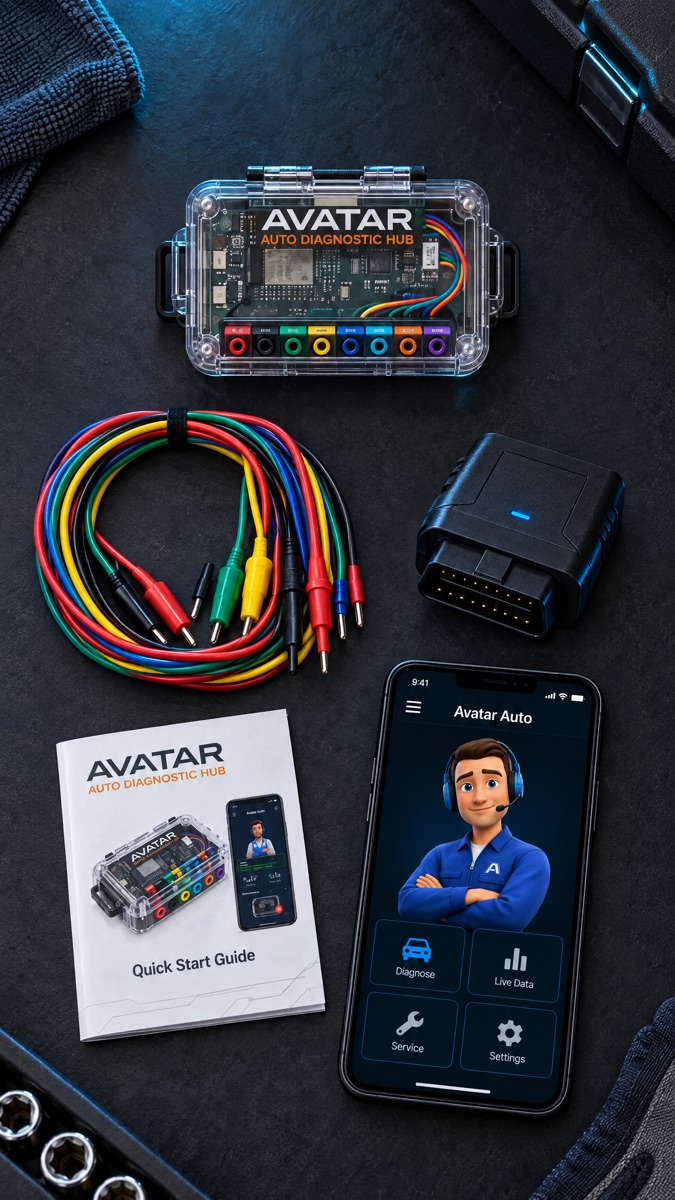
- Auto Diagnostic Hub — ESP32 with Bluetooth LE, eight colour-coded probe sockets and a clear case you can actually see the bus in.
- Probe loom — banana-to-pin leads for battery, current-shunt and back-probe work.
- Konnwei KW902 OBD-II dongle — plugs into the 16-pin port under the dash; pairs over Bluetooth LE, no Android pairing needed.
- The app — the APK below, or sideloaded from this page.
No hub yet? The app is fully useful with just the dongle — the hub adds voltage and continuity tests as firmware lands.
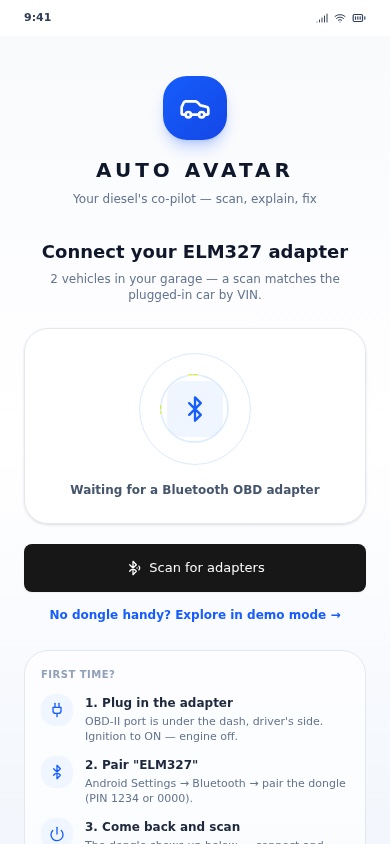
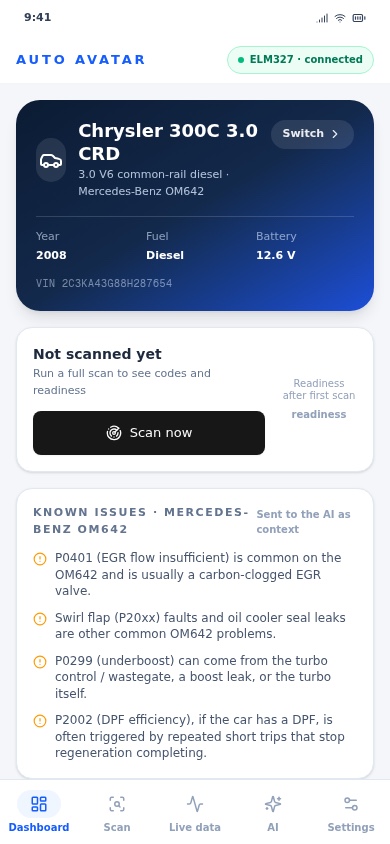
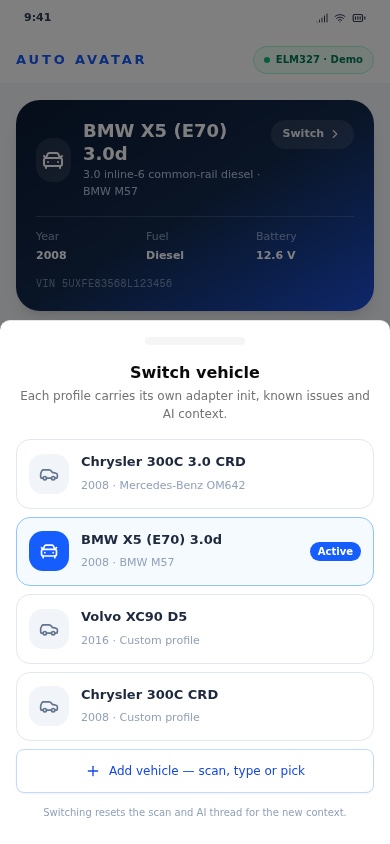
Four steps to first scan
The beta ships as a signed APK straight from this page — no Play Store, no test flight, no account. Android will ask once whether you trust installs from your browser; say yes.
AutoAvatar beta
Download
Tap the button on your phone. The file lands in Downloads as
autoavatar-beta.apk (36 MB — use Wi-Fi).
Allow, then install
Open the file. Android asks to allow installs from your browser or file manager — allow it once, then Install. Nothing else on the phone changes.
Meet the avatar
First run offers Demo mode: a simulated car so you can explore every screen in the
driveway. With the dongle plugged in and ignition on, tap Scan on the Connect
screen instead — the handshake log shows each step.
Optional: voice & Ford codes
Settings → Speech backend holds the server address and token from your welcome email. With it, the avatar talks and Ford radio codes resolve; without it everything else still works offline.
Clear codes. If a screen confuses you, that is
a bug worth reporting, not a you-problem.Found a fault? Report it in 60 seconds
Every report goes to one inbox with a template, so nothing gets lost and nobody's personal phone rings. Screenshots beat descriptions every time.
- What you expected, and what happened instead.
- Phone model + Android version (Settings → About phone).
- App version: Settings → About in the app.
- Dongle or hub, and whether the car was running.
- A screenshot, or Settings → Share for the protocol log.
Reports are triaged into the build log; anything that blocks a scan gets fixed before the next beta drop. You will get one reply saying which build carries the fix — no mailing list, no newsletter, and your email is never shared.
Crashes that include the protocol log are gold: they show exactly what the car said back, which is usually the whole bug.